One platform. Built for everyone on your safety team.
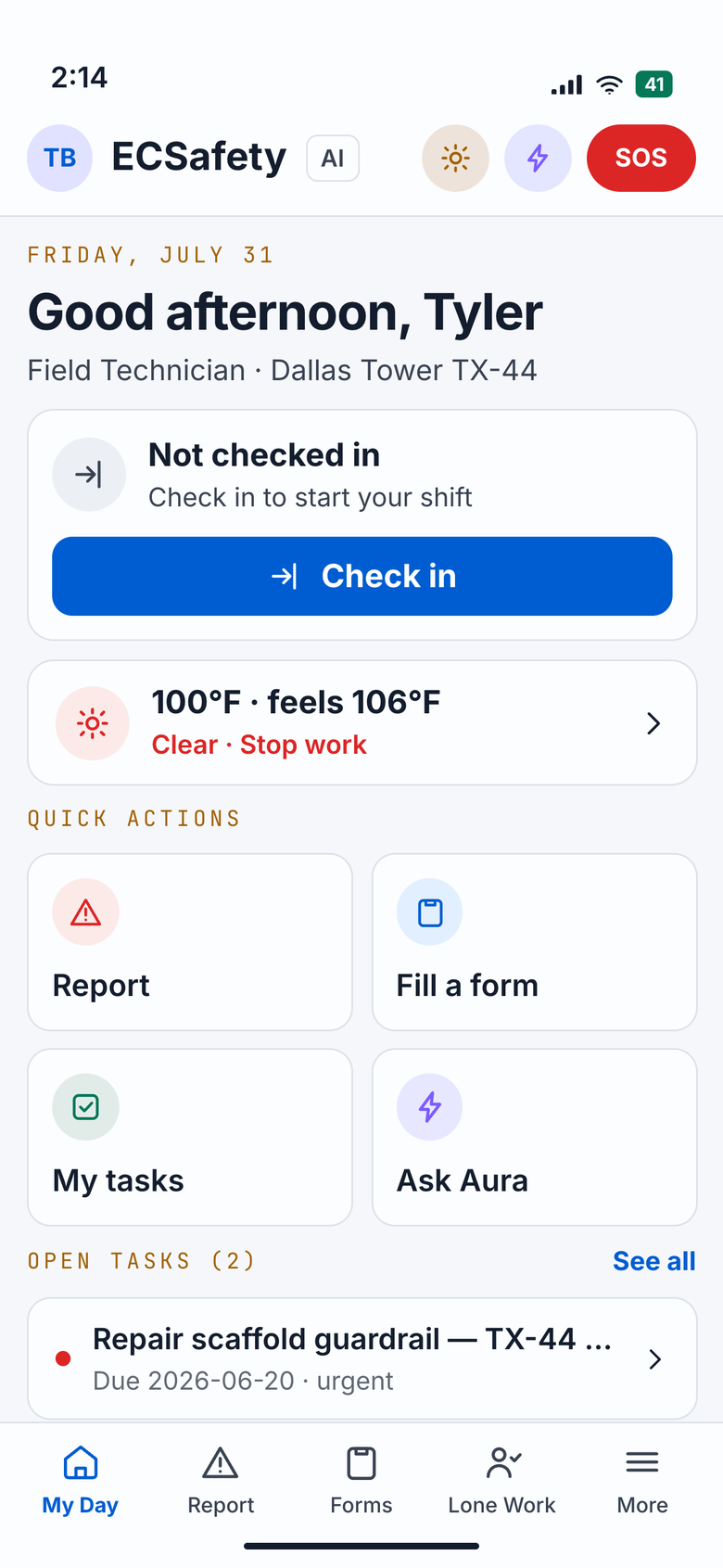
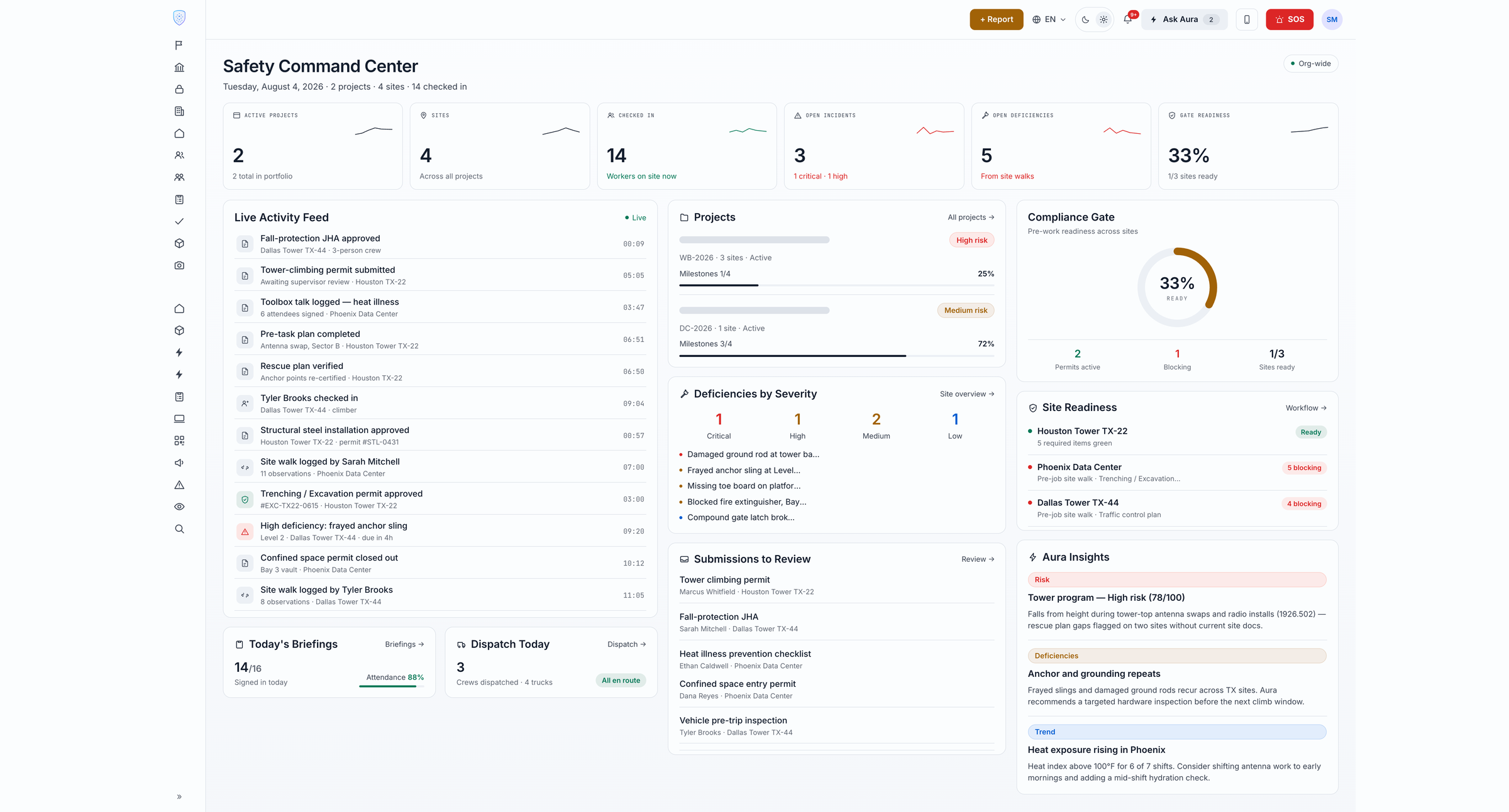
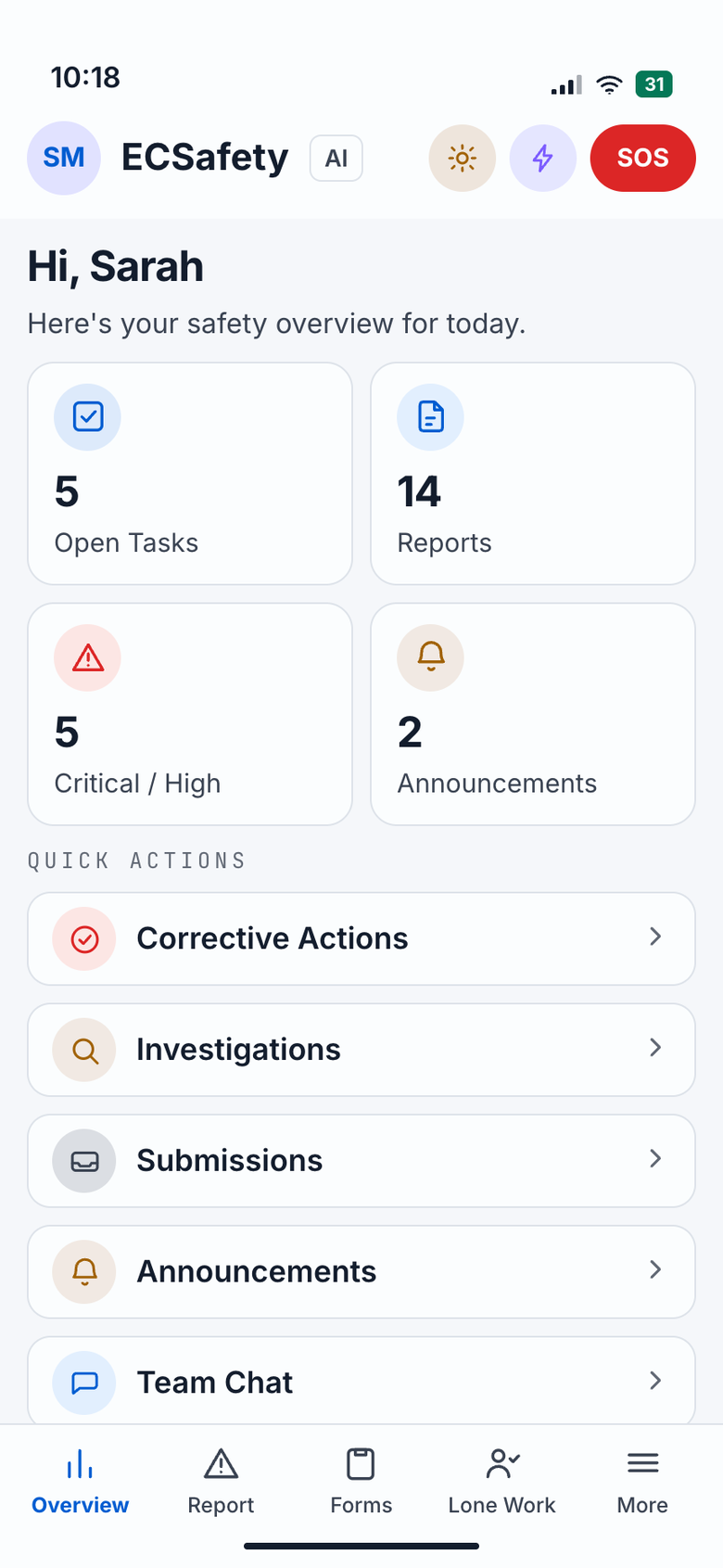
Mobile app for field professionals. Web dashboard for EHS management. Aura intelligence through every module — so the field and the office finally speak the same safety language.
Aura AI™ — in every module
Safety Intelligence
Every module below is powered by the same Aura intelligence — auto-filling forms with weather and location, suggesting JHA hazards in real time, reviewing submissions for compliance gaps, drafting incident reports, and surfacing proactive recommendations to EHS leaders before problems become recordables.
A Safety Auditor that never sleeps — and never misses a pattern.
Aura continuously analyses every data point across your operation — submitted forms, incident history, near-misses, audit findings, safety actions, lagging indicator trends, current OSHA regulatory updates, weather forecasts, and the type and location of your active work — then surfaces proactive, prioritised recommendations to prevent incidents before they happen. Critical, High, or Medium priority. Evidence-backed. Actionable with one click. It learns from every piece of feedback so recommendations get sharper the longer you use ECSafety.
Analyses all of this — automatically
Aura learns from your data continuously — adapting recommendations as your safety program evolves, incorporating your feedback, and factoring in the latest OSHA regulatory changes and weather conditions for your active worksites.
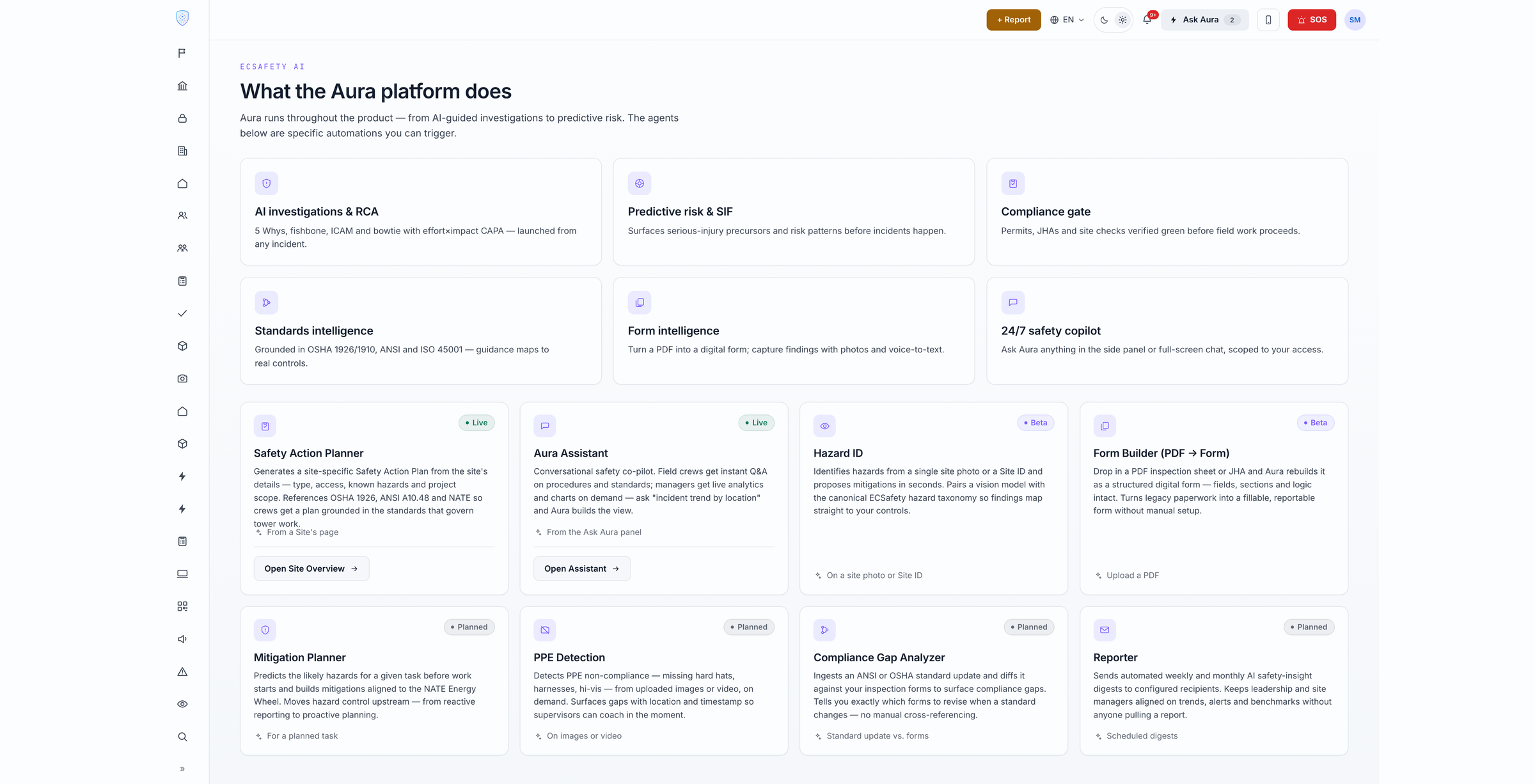
The form gets filled. Every time.
Field techs submit Pre-Task Plans, JHAs, JSAs, and any custom form — by voice, photo, or text — even offline. Aura auto-fills weather, GPS location, and nearby emergency services. For JHAs, it suggests hazards and mitigations in real time, turning form-fill into live safety coaching. Submitted forms can be cloned or edited for quick corrections.
Aura auto-fills location, weather, and nearby emergency services — and suggests task-specific hazards and mitigations so JHAs are richer and faster.
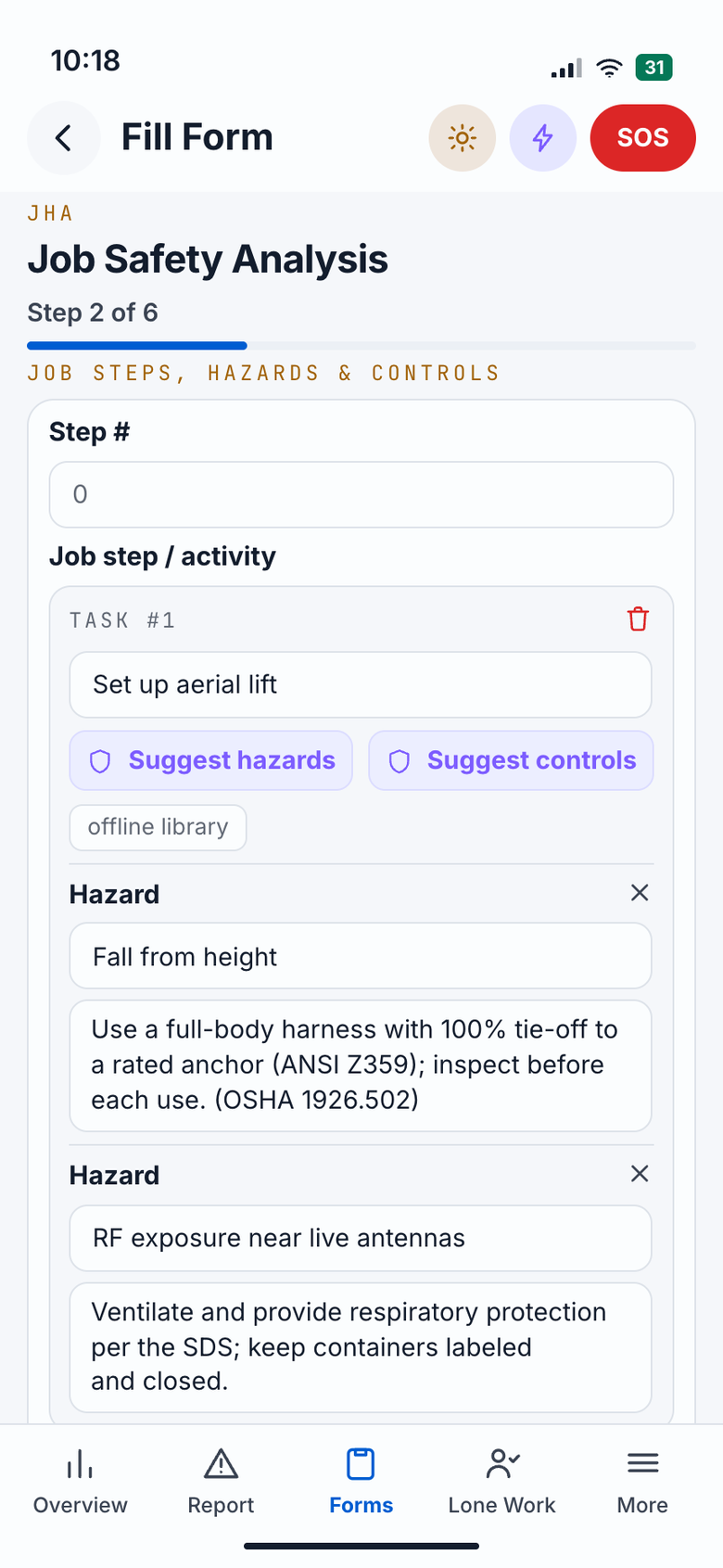
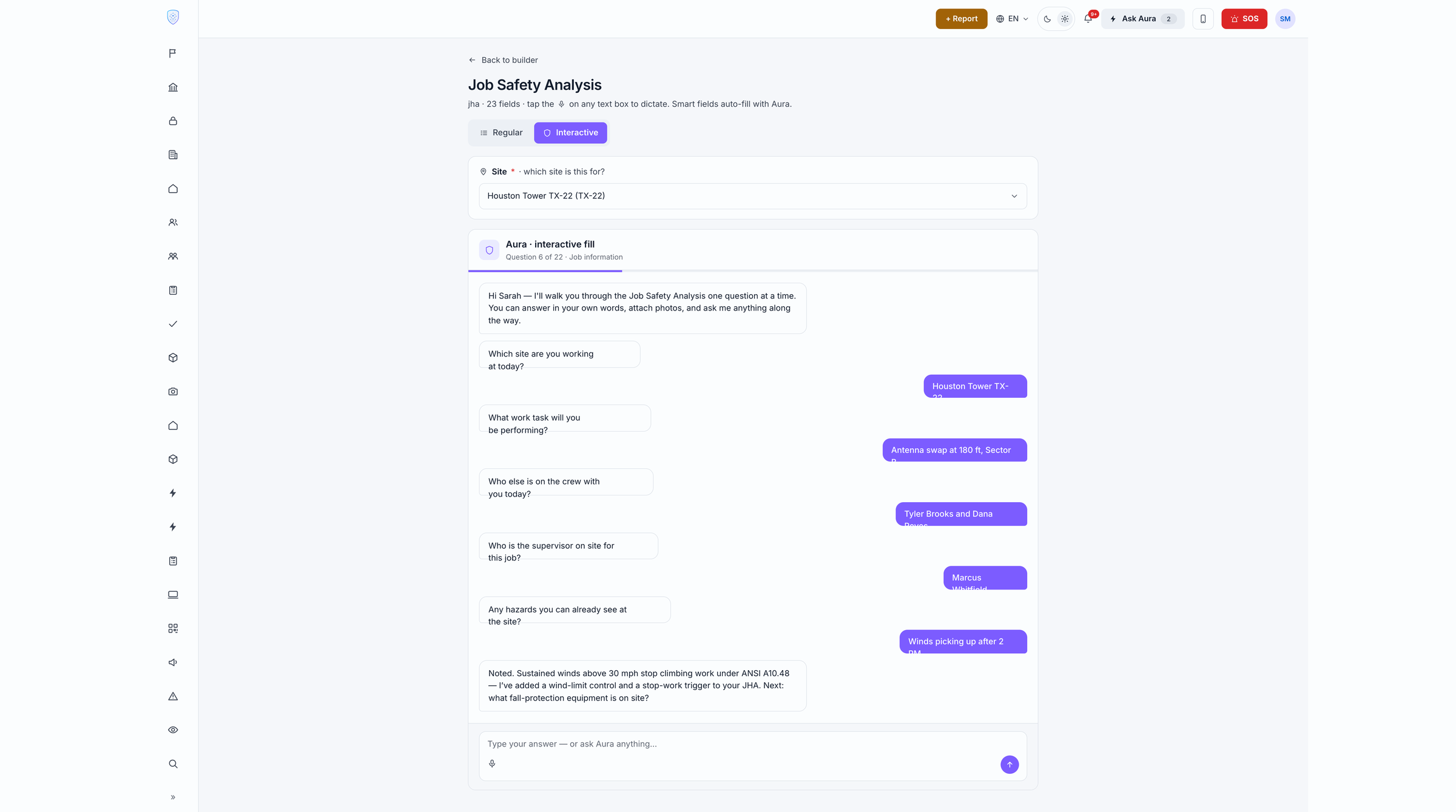
Approvals without the email chain.
Admins build fully configurable approval chains — SNTP, PTW, multi-step sign-offs — in the dashboard. Field techs submit, Aura runs a compliance check, and the request routes instantly to the right approver. One tap to Approve or Return, with a full audit trail. SLAs auto-escalate if an approver doesn't act in time.
Aura reviews every submission before it reaches the approver — flagging gaps and pre-populating the reviewer notes so the approver has everything in one place.
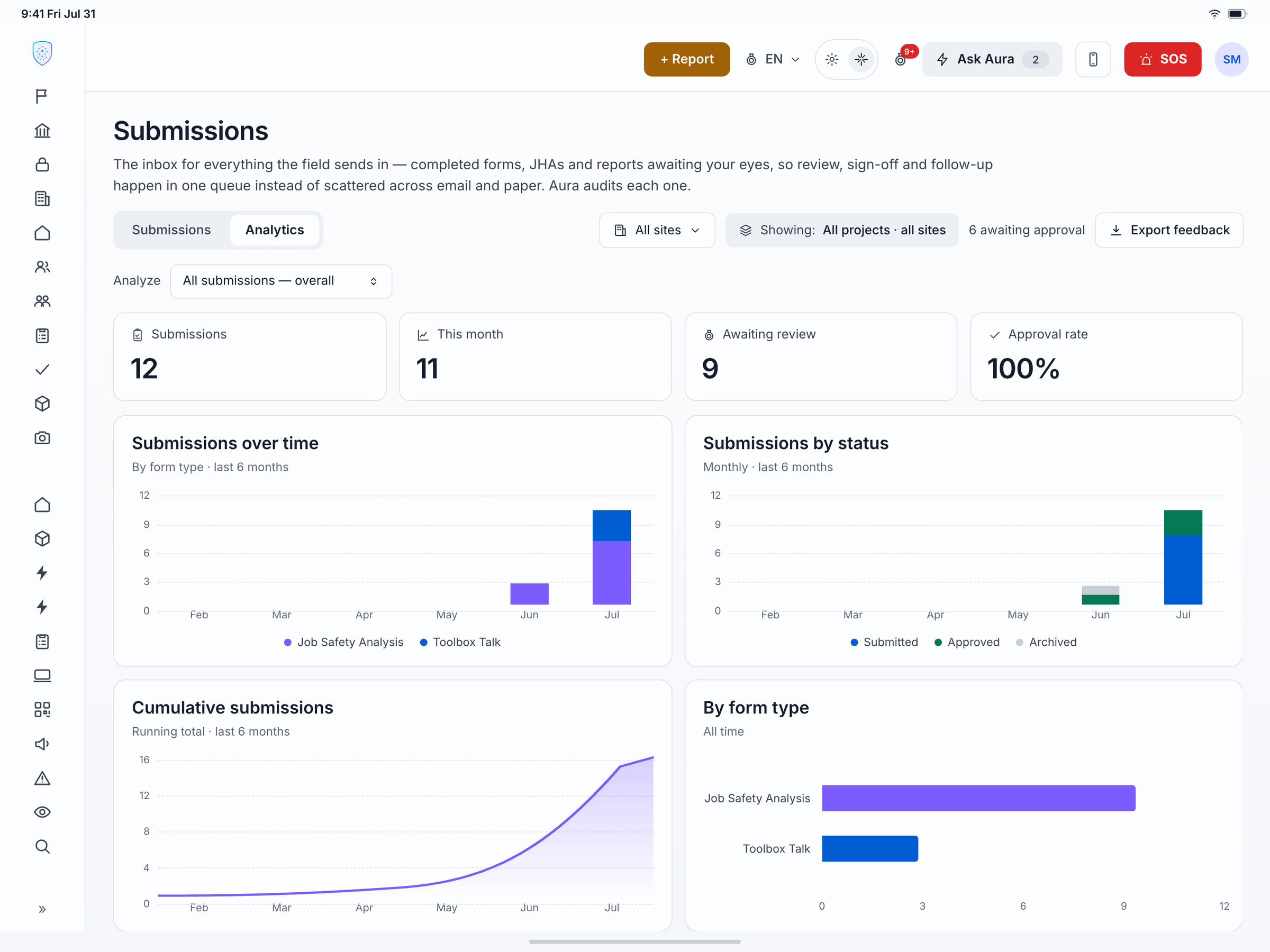
Filed in seconds. Investigated in minutes.
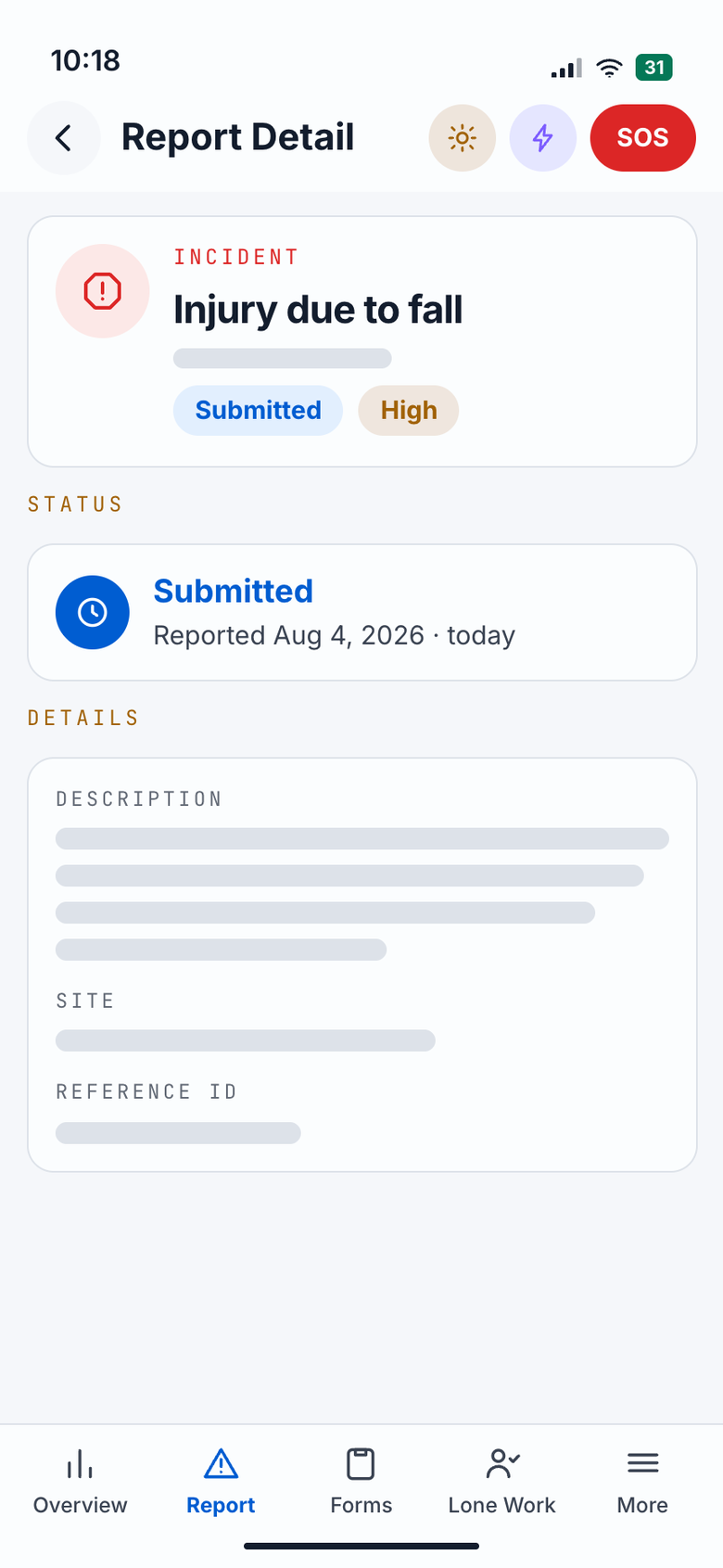
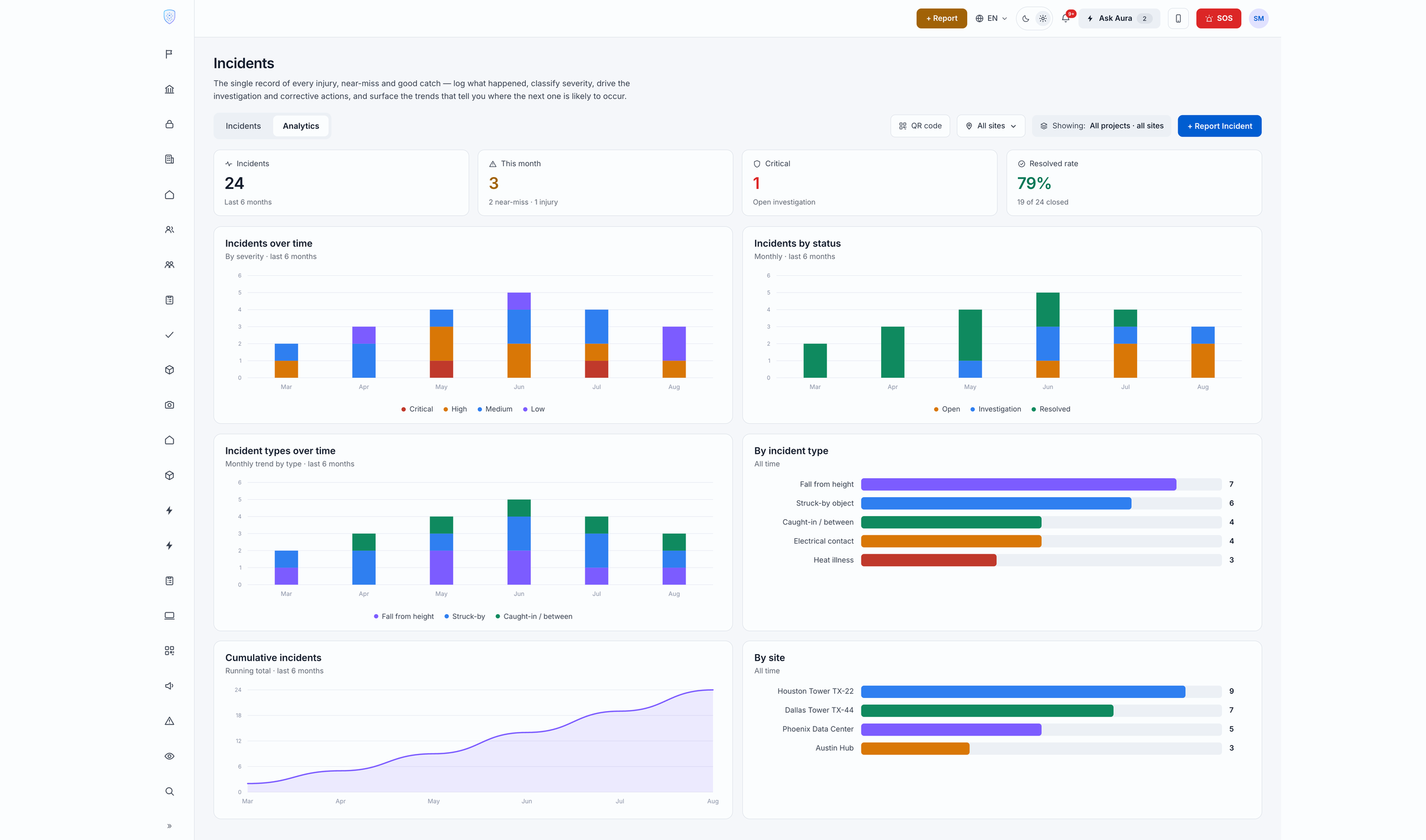
Field workers report general safety incidents, near-misses, and vehicle incidents by voice, photo, or text — from their phone. Aura classifies severity, determines OSHA recordability, extracts root cause, and routes the case to the right investigator before the worker walks away. Vehicle incidents include a dedicated intake capturing driver, vehicle, and damage details.
Aura classifies severity and suggests root-cause factors and corrective actions the moment the incident is submitted — ready for the investigator to review, refine, and approve.
Know who's safe before they step on site.
Every vendor and subcontractor has a live safety score calculated from violations, incidents, training currency, and compliance gaps — not self-reported PDFs. Field supervisors can verify a contractor's status on their phone. Admins manage inductions, certificates, and permit renewals from the dashboard.
Aura flags vendors whose scores are trending down and recommends a contractor review before the next site access — not after an incident.
OSHA Form 300A. Assembled, certified, exported.
Generate your OSHA Form 300A annual summary inside ECSafety — establishment details auto-filled from your company profile, case and hours totals entered once, certification captured with signature, and the finished summary exported to PDF for posting. Your incident records live on the same platform, so the numbers are one screen away.
Aura reviews every incident for OSHA recordability and flags potential miscategorisations before the log is finalised — reducing audit risk.
Meetings that happen. Attendance that's documented.
Supervisors run Toolbox Talks and safety briefings from their tablet or phone. Attendees sign off with a digital signature on their own device — or on the supervisor's tablet passed around the group. Meeting content, attendance, and signatures are stored automatically. Missed attendees are flagged.
Aura suggests Toolbox Talk topics based on recent incidents, near-misses, and rising risk signals at each site — so the content is relevant, not generic.
Covered. Even when no one else is around.
Included in every Core Seat. Field techs start a Lone Worker session before working alone — Aura monitors check-ins, fall detection, and Oura Ring vitals automatically. A missed check-in or panic button triggers the calling tree (SMS, push, email) configured by admins in the dashboard. The field worker never needs to think about it — Aura handles the escalation.
Aura watches vitals from the Oura Ring continuously — flagging heat strain or fatigue before the worker reports feeling unwell, not after.
Pre-trip done. Defects reported. Fleet protected.
Field techs complete vehicle pre-trip and post-trip inspections on their phone — with photo evidence for any defect. Defects are automatically flagged to fleet managers. Vehicle incidents are captured through a dedicated intake that records driver, vehicle, damage, and witnesses. All vehicle data feeds into the metrics dashboard.
Aura flags vehicles with recurring defect patterns and recommends preventive maintenance before a defect becomes an out-of-service event or an incident.
Real-time detection. Instant escalation.
Edge-capable cameras on site detect missing PPE, exclusion-zone breaches, and unsafe positioning the moment they occur. The right person is alerted with a camera snapshot, location, and the detected violation — all on their phone. Every detection becomes a data point in Aura's risk model.
Aura tracks detection patterns across all cameras and surfaces trends — 'Hard hat compliance dropping at Site 3 on Monday mornings' — before they become a recordable.
The expert is there — without being there.
Field techs stream a live first-person view to a remote EHS expert or supervisor — via Meta AI Glasses or their phone camera. The remote expert can see exactly what the worker sees, annotate the live feed, and guide them through a safe procedure in real time. Inspections are recorded, time-stamped, and attached to the site record automatically.
Aura captures key frames from inspection sessions and generates a structured inspection report with annotated screenshots — attached to the site record without the expert lifting a finger.
Your Safety Binder — digital, permissioned, and Aura-read.
Enterprise admins upload Safety Binders, SDS sheets, safe work method statements, and any safety material to the platform and set visibility per document: contractor, employee, manager, or all. Field techs access their permitted documents in the mobile app under Safety Docs — even offline. Every uploaded document also trains Aura so its answers are grounded in your company's specific procedures, not just general knowledge.
Every document uploaded to Safety Docs is read by Aura — so when a field tech asks 'What PPE is required for this chemical?' or 'What's our confined-space entry procedure?', the answer is grounded in your actual safety binder, not generic web content.
Full power. No signal. No problem.
Every form, every certificate, every submitted inspection is available offline on the mobile app. Field techs in basements, tunnels, remote sites, and no-coverage zones keep working without interruption. Everything queues and pushes to the cloud the moment they reconnect. No lost data. No re-fills.
- Forms and certificates available offline, always
- Submissions queue and sync automatically on reconnect
- Lone Worker session continues — alerts via SMS when signal returns
- No data loss — zero reliance on connectivity for core workflows
- High-demand feature across construction, utilities, and remote sites
The form knows what you're about to type.
Aura makes every form submission faster and richer — without adding steps for the field worker.
- Auto-fill from context
- Weather conditions, GPS location, and nearby emergency services (fire station, hospital, police) are automatically filled the moment a form opens.
- JHA hazard & mitigation suggestions
- For each task in a JHA, Aura suggests potential hazards and mitigations. Workers select the relevant ones — getting richer data and in-the-moment safety coaching simultaneously.
- Clone & edit submitted forms
- Field techs can clone any previously submitted form (for repeat tasks) or open a submitted form to correct errors — without starting from scratch.
- Personal gear management
- Workers add their personal safety equipment — lanyards, harnesses, hard hats — with serial numbers in their profile. These are linked to Asset Management in the dashboard automatically.
- Weather & critical alerts
- Live weather at the job site location. Critical weather alerts (severe storm, lightning, heat advisory) push to all workers on site — field techs and supervisors alike.
Every worker, fully set up — before the first shift.
Workers set up their profile once — emergency contacts, safety certifications, induction records, and personal safety gear with serial numbers (lanyards, harnesses, hard hats). Certifications are available offline. Personal gear links to Asset Management in the dashboard automatically. Expiry reminders come to the worker and their supervisor before a cert lapses.
One ECSafety account. Every client, cleanly separated.
Built for contracting companies — specialty contractors, subcontractors, and field service firms — who work across multiple enterprise clients and need professional, OSHA-grade safety documentation for each one.
Not to be confused with Contractor Compliance
This is not Contractor Compliance (which helps enterprise employers track their subcontractors). Client Management is for the contractor itself — managing the enterprise companies they work for, keeping each client's data isolated, and sharing professional safety submittals directly with each client.
The problem this solves
- Your enterprise clients require OSHA-grade JHAs and PTPs before every task — and each has a different template or format
- You're managing safety documentation for three clients in three different folders, email threads, or paper binders
- You want to win more enterprise contracts but can't demonstrate the safety program maturity they require
- Your foreman fills a handwritten JHA on a napkin because there's no good system that costs less than enterprise EHS software
At $25/user/month, a 10-person crew gets the full platform — including Client Management — for $250/month. One avoided incident or qualification rejection pays for years of ECSafety.
Separate client workspaces
Each enterprise client gets an isolated workspace inside your ECSafety account. Forms, incidents, safety records, and reports stay cleanly separated — no data crossover between clients.
Per-client form templates
Different clients have different JHA, PTP, and submittal requirements. Configure the right form template for each client. Your crews always fill the correct form for the right job.
Professional OSHA-grade submittals
Share completed PTPs, JHAs, and safety reports directly with your client contacts. Digital, signed, timestamped, and OSHA-compliant — the kind of documentation that wins enterprise contracts.
Safety record by client
Track incident history, inspection completion rates, and safety metrics per client. When a client asks how your safety program is performing, you have a real answer — not a guess.
Aura grounded per client
Aura learns each client's site-specific hazards, procedures, and standards. Ask Aura a safety question on Client A's site — it answers based on Client A's context, not Client B's.
Impress clients. Win more work.
Show up with OSHA-grade digital documentation instead of paper forms. Enterprise clients notice. Use your ECSafety safety record as a prequalification asset to win the next contract.
Are you a contracting company?
We'll show you the Client Management module on a 30-minute call — including how to configure per-client forms and share submittals professionally.
Fits into your existing operations
ECSafety AI connects to the systems your teams already run: project management, Microsoft Office 365, ERP, ticketing, and BI, plus an open MCP integration layer for custom workflows.
Custom integrations available on Enterprise, powered by the ECSafety MCP server.
See the full platform on your data.
30-minute demo — we'll walk through the modules relevant to your operation, on your incident history.
No credit card required · Deploys in days · SOC 2 Type II